
Download GTDInbox – Firefox add‑on for Gmail productivity
Overview
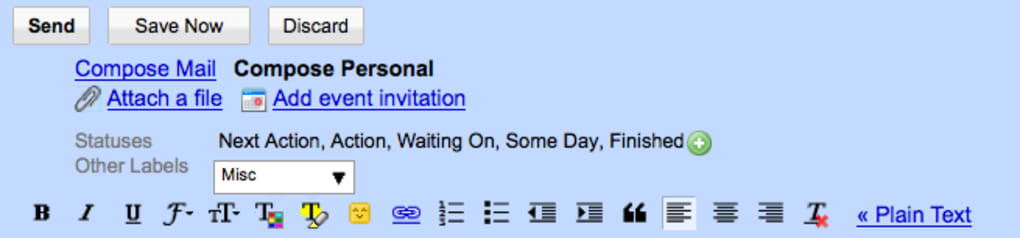
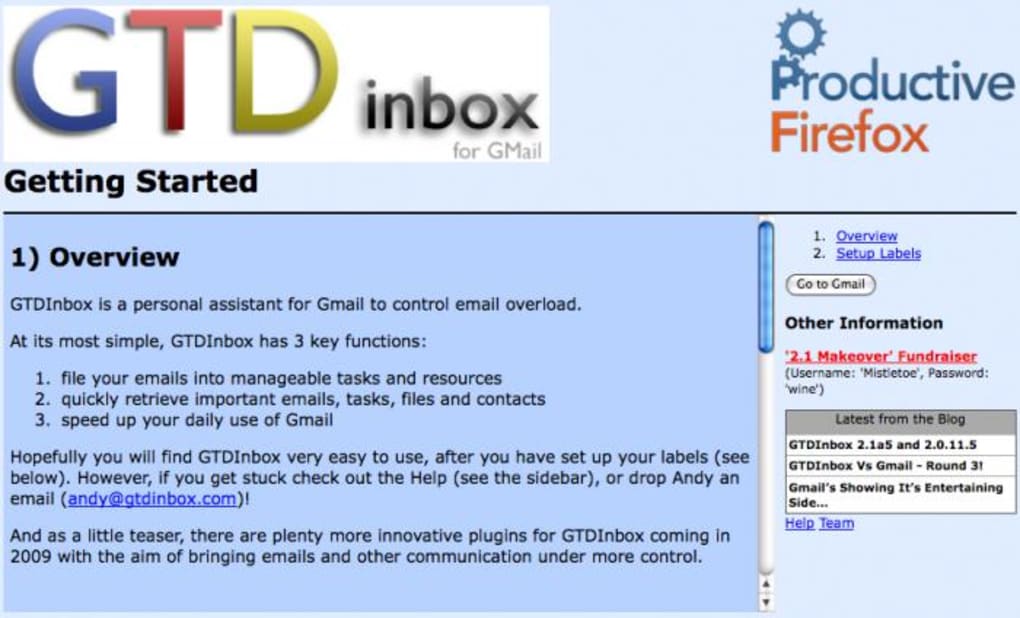
GTDInbox is a free Firefox add‑on that re‑imagines Gmail as a task‑focused workspace. Designed for users who live by the Getting‑Things‑Done (GTD) methodology, the extension adds a lightweight command box that lets you label, archive, preview and prioritize emails without ever leaving your inbox. After installing the add‑on, a short setup wizard asks you to create a few standard labels such as S/Action and S/Finished.
These labels become the backbone of the workflow, turning ordinary messages into actionable items that can be sorted by priority, status or project. While the concept promises a faster, more organized Gmail experience, the real‑world usability hinges on how intuitively the popup interface can be mastered. Early adopters report a mixed experience: the ability to assign priority tags and open multiple compose windows simultaneously is praised, but the learning curve can feel steep compared with Gmail’s native interface.
GTDInbox aims to be a secure, regularly updated tool that works on any platform where Firefox runs – Windows, macOS, Linux, and even Android or iOS devices that support the desktop version of the browser. If you’re searching for a way to boost Gmail’s task management without paying for a separate CRM, GTDInbox offers a compelling, albeit occasionally puzzling, solution.
Key Features & Benefits
- One‑click task labeling: Quickly apply GTD‑style labels (S/Action, S/Waiting, S/Finished) from the popup command box.
- Priority tagging: Assign high, medium or low priority flags to any email, enabling instant sorting and filtering.
- Inline preview & edit: View the content of an email, edit its subject line, or modify labels without opening a new tab.
- Bulk actions: Select multiple messages and perform archive, delete, or label operations in a single click.
- Multi‑window composition: Open several compose windows at once, each linked to a different task‑oriented email.
- Secure OAuth integration: Uses Google’s official OAuth flow, ensuring that your credentials never leave the browser.
- Automatic updates: Receives regular patches via Firefox’s add‑on marketplace, keeping the tool compatible with Gmail’s UI changes.
- Cross‑platform support: Works wherever Firefox runs – Windows, macOS, Linux, and even on mobile browsers that support desktop extensions.
These features translate into tangible productivity gains for power users. By converting every incoming message into a potential task, GTDInbox reduces the mental overhead of switching between Gmail and external to‑do lists. The priority system lets you focus on urgent items first, while the bulk actions save time when processing newsletters or project updates. Moreover, the secure OAuth authentication means you can trust the extension with your Google account without exposing your password. For teams that already rely on GTD principles, GTDInbox acts as a natural extension of their workflow, embedding task management directly into the email client they already use every day.
Installation, Usage & Compatibility
Step‑by‑Step Installation
- Open Firefox and navigate to the GTDInbox add‑on page.
- Click Add to Firefox and confirm the permissions request.
- After the download finishes, Firefox will prompt you to restart the browser – do so.
- When you open Gmail, a brief setup wizard appears. Click Create Default Labels to automatically add S/Action, S/Waiting, and S/Finished to your Gmail account.
- Optionally, customize the label names in Gmail’s label settings if you prefer different terminology.
Using the Popup Command Box
Once the extension is active, a small icon appears in Gmail’s toolbar. Clicking the icon opens the command box. From here you can:
- Press A to assign the S/Action label to the selected email.
- Press P to set a priority level (1‑high, 2‑medium, 3‑low).
- Use the V key to preview the message without leaving the inbox view.
- Hit R to archive or D to delete instantly.
The interface is keyboard‑centric, which speeds up workflow for users comfortable with shortcuts. For visual learners, the popup also displays checkboxes for each label, allowing mouse‑based selection. All changes are saved instantly to your Gmail account, so you can switch devices and see the same task status across platforms.
Operating System Support
GTDInbox runs wherever Firefox is supported: Windows 10/11, macOS 12+, various Linux distributions, and Android/iOS browsers that can run desktop extensions (via user‑agent tricks or Firefox Focus). Because it is a browser‑based tool, there is no separate installation for mobile; you simply enable the add‑on in Firefox on the device and the same features become available.
Pros, Cons, FAQ & Final Verdict
Pros & Cons
- Pros
- Free and open‑source, no hidden fees.
- Deep integration with Gmail’s label system.
- Keyboard shortcuts accelerate task processing.
- Secure OAuth login protects account credentials.
- Regular updates keep the add‑on compatible with Gmail UI changes.
- Cons
- Initial setup can be confusing for non‑technical users.
- Lack of an in‑app tutorial or video guide.
- Popup UI feels cramped on small screens.
- Requires Firefox; not available for Chrome or Edge.
- Some advanced GTD features (e.g., context tagging) are missing.
Frequently Asked Questions
Is GTDInbox completely free?
Yes, GTDInbox is a free Firefox add‑on with no hidden subscription fees. All features are available to anyone who installs the extension.
Will GTDInbox access my email content?
The add‑on only interacts with Gmail through Google’s OAuth API, which grants permission to read and modify labels. It never stores your email body or credentials on external servers.
Can I use GTDInbox on Chrome or Edge?
Currently GTDInbox is built exclusively for Firefox. Users of Chrome or Edge will need to switch to Firefox to benefit from the extension.
How often does GTDInbox receive updates?
Updates are released roughly every 4–6 weeks, aligning with Firefox’s add‑on review cycle and Gmail UI changes.
Is there a way to import existing Gmail labels into GTDInbox?
GTDInbox automatically detects any Gmail labels that match its default naming scheme. If you have custom labels, you can map them manually in the extension’s settings.
Conclusion & Call‑to‑Action
GTDInbox delivers a solid set of productivity tools for Gmail power users, especially those who already follow the GTD methodology. Its free, secure design and deep label integration are standout strengths, while the lack of a clear onboarding tutorial can be a hurdle for newcomers. If you’re comfortable experimenting with browser extensions and value a task‑centric email workflow, give GTDInbox a try – it could transform the way you manage your inbox forever.
Ready to boost your Gmail efficiency? Download GTDInbox now and start turning every email into a manageable action item.







